Arrow VM1012-B Spécifications Page 1
Naviguer en ligne ou télécharger Spécifications pour Moteur Arrow VM1012-B. Arrow VM1012-B Specifications Manuel d'utilisatio
- Page / 52
- Table des matières
- MARQUE LIVRES


- DESCRIPTION AND OPERATION 1
- ENGINE IDENTIFICATION 1
- DIAGNOSIS AND TESTING 2
- SERVICE DIAGNOSIS—DIESEL— 2
- PERFORMANCE 2
- XJ ENGINE 9 - 3 3
- 9 - 4 ENGINE XJ 4
- XJ ENGINE 9 - 5 5
- 9 - 6 ENGINE XJ 6
- XJ ENGINE 9 - 7 7
- 9 - 8 ENGINE XJ 8
- XJ ENGINE 9 - 9 9
- 9 - 10 ENGINE XJ 10
- TAPPET NOISE 11
- SERVICE PROCEDURES 11
- VALVE SERVICE 11
- VALVE STAND DOWN 12
- INSPECTION 12
- VALVE REFACING 12
- VALVE SEAT REFACING 12
- REMOVAL AND INSTALLATION 13
- ENGINE MOUNTS — LHD DIESEL 13
- INSTALLATION—RIGHT SIDE 14
- REMOVAL—LEFT SIDE 14
- ENGINE MOUNTS — RHD DIESEL 15
- INSTALLATION—LEFT SIDE 17
- 2.5L DIESEL ENGINE 18
- XJ ENGINE 9 - 19 19
- INSTALLATION 20
- XJ ENGINE 9 - 21 21
- CYLINDER HEAD COVER 22
- HYDRAULIC TAPPETS 23
- ROCKER ARMS AND PUSH RODS 24
- VALVE SPRINGS 24
- ENGINE CYLINDER HEAD 25
- CYLINDER HEAD GASKETS 26
- XJ ENGINE 9 - 27 27
- XJ ENGINE 9 - 29 29
- VIBRATION DAMPER 30
- TIMING GEAR COVER OIL SEAL 30
- TIMING GEAR COVER 30
- CAMSHAFT 31
- CAMSHAFT BEARINGS 32
- OIL PUMP 33
- INTERNAL VACUUM PUMP 33
- PISTON PIN—REMOVAL 36
- PISTON RING—REMOVAL 36
- PISTON RING FITTING 36
- PISTON RINGS—INSTALLATION 36
- PISTON PIN INSTALLATION 37
- CYLINDER WALL LINER ASSEMBLY 38
- XJ ENGINE 9 - 39 39
- CRANKSHAFT MAIN BEARINGS 40
- 9 - 42 ENGINE XJ 42
- DISASSEMBLY AND ASSEMBLY 43
- CLEANING AND INSPECTION 43
- CYLINDER HEAD 43
- INSPECTION—PISTONS 44
- INSPECTION—CONNECTING ROD 44
- INSPECTION—PISTON PIN 44
- SPECIFICATIONS 46
- ENGINE SPECIFICATIONS 46
- XJ ENGINE 9 - 47 47
- TORQUE SPECIFICATIONS 48
- SPECIAL TOOLS 49
- 9 - 50 ENGINE XJ 50
- XJ ENGINE 9 - 51 51
- 9 - 52 ENGINE XJ 52
Résumé du contenu
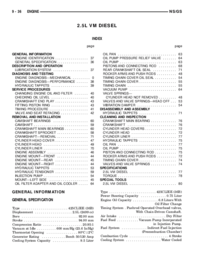
ENGINETABLE OF CONTENTSpage pageDESCRIPTION AND OPERATIONENGINE IDENTIFICATION ...1DIAGNOSIS AND TESTINGSERVICE DIAGNOSIS—DIESEL—PERFO
CONDITION POSSIBLE CAUSES CORRECTIONLUBRICATING OIL LOSS 1. External leaks. 1. Visually inspect for oil leaks. Repairas required.2. Crankcase being ov
CONDITION POSSIBLE CAUSES CORRECTIONEXCESSIVE ENGINENOISES1. Drive belt squeal, insufficienttension or abnormally high loading.1. Check the automatic
INSPECTION(1) Inspect for cracks in the combustion chambersand valve ports.(2) Inspect for cracks on the exhaust seat.(3) Inspect for cracks in the ga
with new valves and recut valve seat inserts toobtain correct stand down.VALVE GUIDES(1) Valve Guides height requirement.(2) Measurement A (Fig. 5): 1
INSTALLATION—RIGHT SIDE(1) Position the engine mount and bracket andinstall the engine mount through bolt and nut, leav-ing them loose at this time.(2
(13) Position a jack stand and raise the weight offthe left engine mount.(14) Remove the (4) engine mount bracket boltsfrom the engine block.(15) Remo
CAUTION: Do not rotate the steering shaft whileremoved from the gearbox input shaft. Damage tothe steering column clockspring will occur.(4) Remove th
NOTE: Mark the position of the H-Block in relationto the power steering pump and A/C Compressor soit may be installed in its original position.(8) Rem
2.5L DIESEL ENGINEREMOVAL(1) Disconnect both of the battery cables andremove the battery.(2) Mark the hinge locations on the hood for align-ment refer
(35) Remove the exhaust system support clamp(Fig. 17).(36) Remove the clutch slave cylinder from theclutch housing (Fig. 18).(37) Remove the (3) nuts
DIAGNOSIS AND TESTINGSERVICE DIAGNOSIS—DIESEL—PERFORMANCECONDITION POSSIBLE CAUSES CORRECTIONENGINE WILL NOT CRANKOR CRANKS SLOWLY1. Starting motor op
(38) Disconnect the electrical connectors and thevent hose and from the transfer case and transmis-sion.(39) Support the rear of the transmission with
(23) Working inside the vehicle, install the shifteron the transmission(24) Install the shifter boot seal.(25) Install the center console. Refer to Gr
(39) Connect the electric cooling fan electrical con-nector.(40) Install the battery tray.(41) With assistance from another person, installthe hood.NO
HYDRAULIC TAPPETSBefore disassembling any part of the engine to cor-rect tappet noise, check the oil pressure. If vehiclehas no oil pressure gauge, in
INSTALLATION(1) Lubricate the tappets.(2) Install the tappets and retainers in their origi-nal positions. Ensure that the oil feed hole in theside of
(3) Remove the rocker arms assemblies and pushrods. Refer to rocker arm and push rod removal andinstallation in this section. Retain the push rods, an
(17) Disconnect the oil drain line from turbo-charger.(18) Remove the Exhaust manifold. Refer to Group11, Exhaust System and Turbocharger.(19) Remove
CAUTION: Piston protrusion must be measured, todetermine cylinder head gasket thickness, if one ormore cylinder wall liners have been replaced.NOTE: I
from the edge of the piston and note the measure-ment (Fig. 36).(5) Repeat the procedure with the rest of the cyl-inders.(6) Establish the thickness o
(9) Tighten the 12mm bolts in the following man-ner:(10) Side bolts (M1-M2): Tighten M1 bolts to 30N·m, then rotate them 85° (65). Tighten M2 bolts to
CONDITION POSSIBLE CAUSES CORRECTION6. No voltage to starter solenoid. 6. Check voltage to solenoid. Ifnecessary, replace the solenoid.7. Solenoid or
VIBRATION DAMPERREMOVAL(1) Disconnect the negative battery cable.(2) Remove the fan and set fan inside fan shroudthen remove fan shroud and fan as an
(4) Install the automatic belt tensioner.NOTE: The idler pulley has left hand thread.(5) Install the idler pulley. Torque nut to 40 N·m(29 ft. lbs.).(
(5) Install the cylinder head cover. Refer to cylin-der head cover removal and installation in this sec-tion.(6) Install the timing gear cover. Refer
sliding the new camshaft bearing shell over properadapter.(2) Position the rear bearing in the tool. Installhorseshoe lock and by reversing removal pr
(2) Remove the timing gear cover. Refer to timinggear cover removal in this section.(3) Align all the timing marks before removing thevacuum pump (Fig
(6) Check the plunger for scoring, replace if neces-sary.INSTALLATION(1) Thoroughly clean all components and reliefvalve pocket in cylinder block.(2)
(2) Remove cylinder heads, refer to cylinder headremoval in this section.(3) Raise vehicle on host.(4) Remove oil pan, refer to oil pan removal in thi
(3) Top ring gap must be positioned at 30 degreesto the right of the combustion chamber recess (look-ing at the piston crown from above).(4) Second pi
(2) Before installing the ring compressor, makesure the oil ring expander ends are butted and therail gaps located as shown in (Fig. 59).(3) Immerse t
VM-1010 A. All the measurements must be takenon camshaft side. Zero dial gauge on block deck.(3) Move dial gauge to cylinder liner record read-ing on
CONDITION POSSIBLE CAUSES CORRECTIONENGINE HARD TO START,OR WILL NOT STARTSMOKE FROM EXHAUST(CONT.)6. Air in fuel system or the fuel supplyis inadequa
CRANKSHAFT MAIN BEARINGSREMOVAL(1) Disconnect the negative battery cable.(2) Remove the engine from vehicle. Refer toengine removal and installation i
the carriers for assembly and remove the bolts, twofor each carrier (Fig. 67).(21) Separate the two halves of each carrier,remove from the crankshaft
(11) Install the rear oil seal.(12) Install the new O-rings in adaptor plate.(13) Install the adaptor plate to block. Torque nutsto 26.5 N·m (20 ft. l
(35) Install the vibration damper. Refer to vibra-tion damper removal and installation in this section.(36) Install the cylinder heads. Refer to cylin
Use compressed air to blow out the oil passages inthe rocker arms and push rods.INSPECTIONInspect the pivot surface area of each rocker arm.Replace an
INSPECTION—CRANKSHAFT JOURNALS(1) Using a micrometer, measure and record crank-shaft connecting rod journals, take reading of eachjournal 120° apart.
OIL PUMPCLEANINGWash all parts in a suitable solvent and inspectcarefully for damage or wear.INSPECTION(1) Before installing oil pump check pump bored
DESCRIPTION SPECIFICATIONSCenter bearing diameterNominal ... 63.050-63.093 mm−0.25 ... 62.800-62.843 mm−0.125 ...
DESCRIPTION SPECIFICATIONSExhaust valve:Opens ... 66°B.B.D.C.Closes ... 36°A.T.D.C.Face angle:Intake ...
DESCRIPTION TORQUEInjection pump gearLock nut ... 86N·mInjection pumpMounting nut ... 27.5 N·mInjectorTorqu
CONDITION POSSIBLE CAUSES CORRECTIONROUGH IDLE(IRREGULARLY FIRING ORENGINE SHAKING)1. If engine is cold, glow plug relay onglow plug(s) defective.1. R
Injection Pump Puller and Gear retainer VM. 1003Crankshaft Remover/Replacer Sleeve VM. 1004Torque Angle Gauge VM. 1005Cylinder Head Bolt Wrench VM. 10
Bosch Pump Timing Adapter VM. 1011Injector Remover/Replacer Socket VM. 1012BDial Indicator Gauge VM. 1013Flywheel Locking Tool VM. 1014Timing Cover Oi
Crankshaft and Water Pump Pulley Holder VM. 1017Cylinder Head Bolt Wrench M12 VM. 1018Cylinder Head Bolt Wrench M14 VM. 1019Cylinder Leakage Tester Ad
CONDITION POSSIBLE CAUSES CORRECTIONENGINE RPM WILL NOTREACH RATED SPEED(CONT.)6. Improperly operating injection pump. 6. Repair or replace injection
CONDITION POSSIBLE CAUSES CORRECTIONEXCESSIVE EXHAUSTSMOKE1. Engine running too cold (whitesmoke).1. Refer to troubleshooting for coolanttemperature b
CONDITION POSSIBLE CAUSES CORRECTIONCOOLANT TEMPERATUREABOVE NORMAL1. Low coolant level. 1. Check coolant level. Add coolant, ifnecessary. Locate and
SERVICE DIAGNOSIS—DIESEL—MECHANICAL.CONDITION POSSIBLE CAUSES CORRECTIONLUBRICATING OILPRESSURE LOW1. Low oil level. 1. (A) Check and fill with clean
Plus de documents pour Moteur Arrow VM1012-B
© 2020, manymanuals.fr. Tous droits réservés | 0.016 s |
 Manymanuals.com
 Manymanuals.de
 Manymanuals.fr
 Manymanuals.it
 Manymanuals.pl
 Manymanuals.cz
 Manymanuals.es
 Manymanuals-pt.com
Commentaires sur ces manuels